Hi, again, and I'm surprised that no one has raised this one, already!
Current state: In the Workflow Designer, when you make some kind of change, the little "Unsaved changes" icon and message appear at the top of the screen, but... you can't tell what was actually changed!
The core idea: given that the user is in the Workflow Designer for a workflow, when there is/are unsaved change(s), show an indicator beside the change(s) so that the user can easily find and review the change(s).
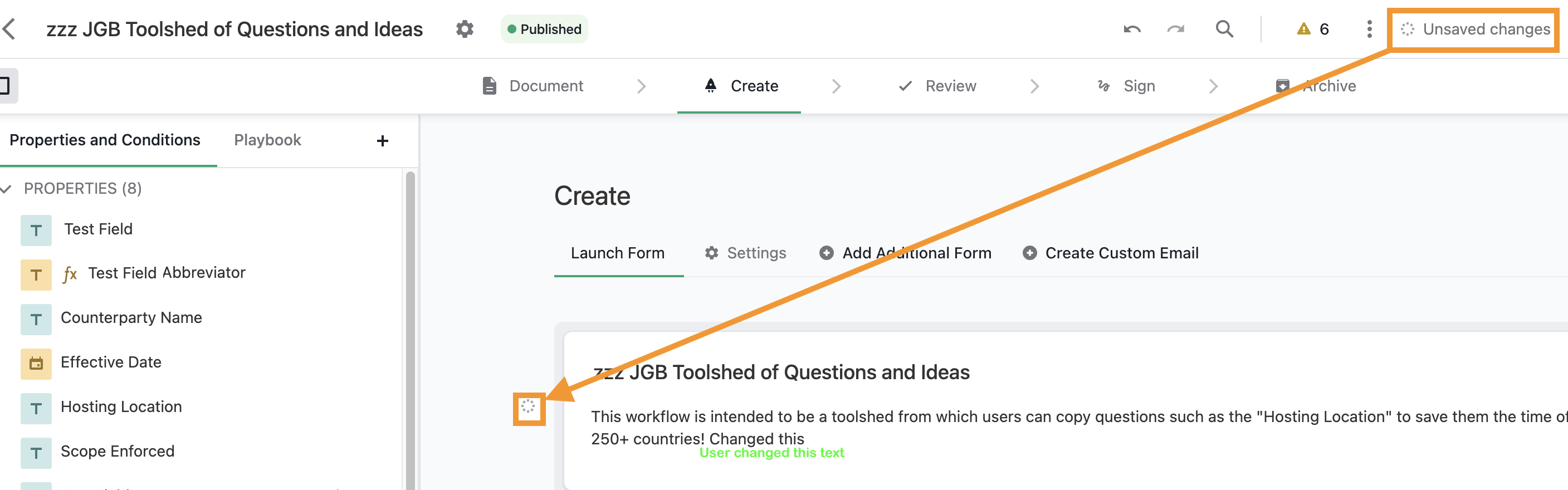
This could be further enhanced by:
- indicating the Status where there are changes
- indicating the Tab where there are changes
- indicating Properties or Conditions that changed
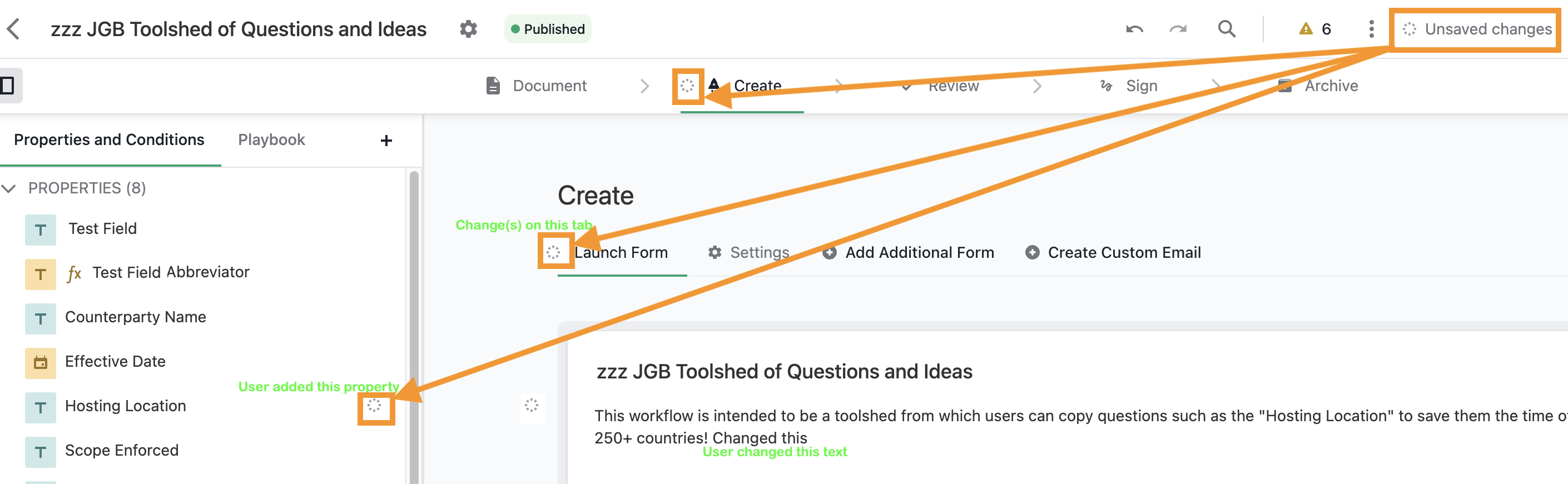
And even more so by:
- having an unsaved change log/list that appears when you mouse over the "Unsaved changes" message at the top of the screen.
- and if this list could jump to the changes, that would be amazing!
Thanks, everyone, for having a look!
